Your business at a glance.
What came in, what went out, what you kept, and how long your cash will last. No accounting needed.
Free during early access · No bank password · Works with your bank’s CSV filesFour questions every one-person business asks
Accounting software answers them with reports. MiniCFO answers them with four numbers you can read at a glance.
Sources: Federal Reserve Banks, Small Business Credit Survey, report on firms with no employees (2025 survey); JPMorgan Chase Institute, small business cash buffers (2025).
Open it, and you know where you stand
One home page with the month’s answer, your cash, your pay and the few things that need you. Then a page for money in and one for costs.
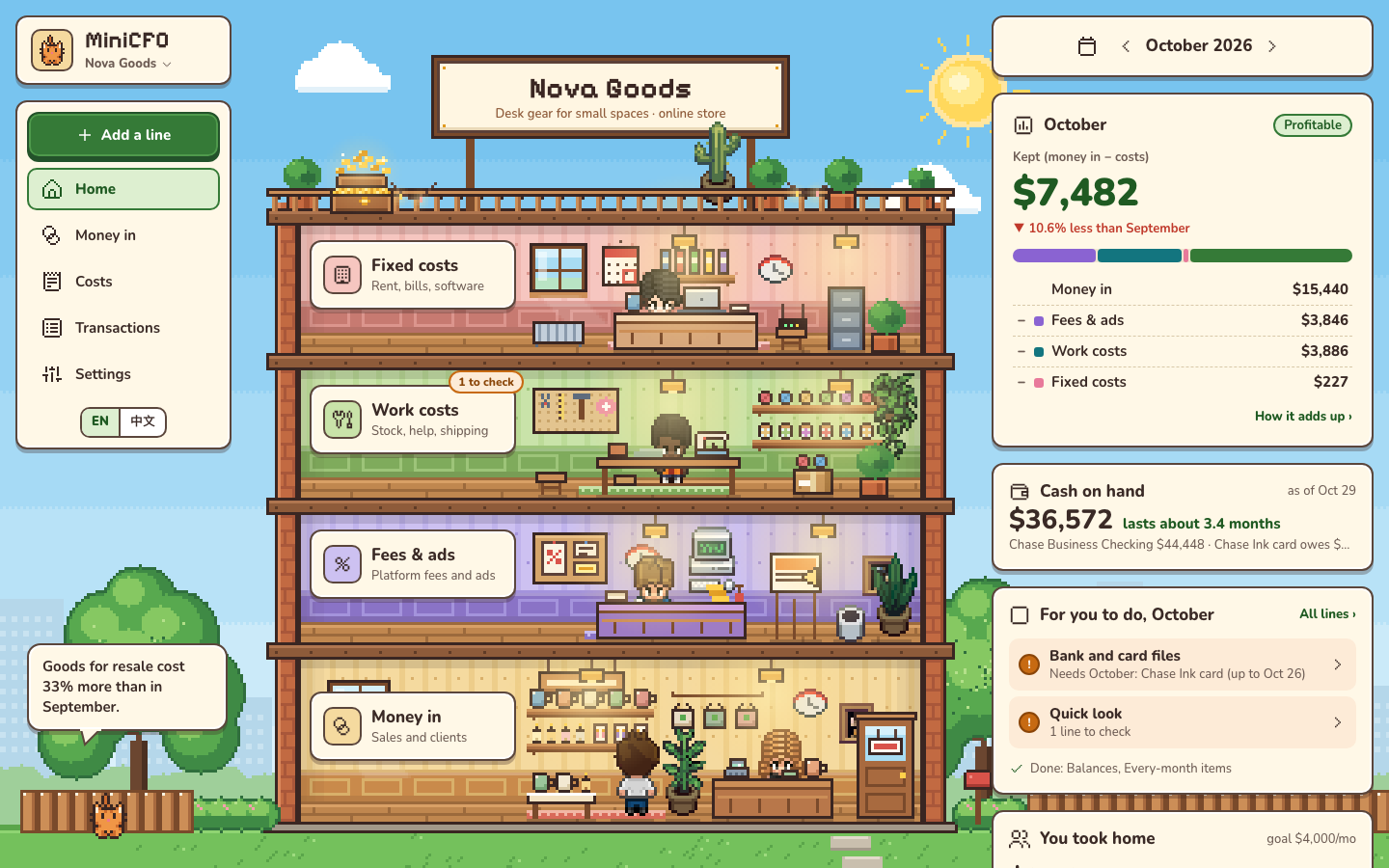
- 1This monthWhat you kept, and where the money in went.
- 2Cash on handWhat you have today, and how long it lasts.
- 3For you to doOnly the few things that need you.
- 4Taken homeWhat you paid yourself, line by line.
Bookkeeping without the chore
Every dollar in and every cost out, without typing in a single bank line.
Not sure about a line? We ask once, and your answer becomes a rule for next time.
Your business, as a little building
Money comes in on the ground floor. Each floor up takes its share. What reaches the roof is yours.
Made for one-person companies
Each example is a whole company with a year of made-up books. Open one, no sign-up needed.
Your numbers stay yours
Free during early access
Everything is included while we build MiniCFO with its first users. We will tell you well before that changes, and your books can always be exported.
- The building and every dashboard
- Unlimited lines and files
- Partners and several companies
- English and Chinese
Questions
Do I have to connect my bank?
No. Download the CSV your bank or card already offers and drop it in. Nothing asks for your bank password.
Does it do my taxes?
No. MiniCFO shows where your business stands. At tax time, export clean books for yourself or your accountant.
What counts as “kept”?
Money in after refunds, minus every cost: fees, stock, rent, subscriptions. Money you take home is not a cost, so it is shown on its own.
I have partners. Does it fit?
Yes. Invite them by email: everyone sees the same books, and what each of you took home.
Can I try it without signing up?
Yes. Open one of the example companies and look around.
Which banks work?
Any bank or card that exports a CSV file, plus Etsy monthly statements.